Dashboards and saved queries
Dashboards and saved queries keep useful OQL out of chat history and incident notes. Use saved queries for reusable shortcuts. Use dashboards for panels that refresh with the active scope.
Save useful OQL
Section titled “Save useful OQL”Use Explore for scratch work. When a query is useful:
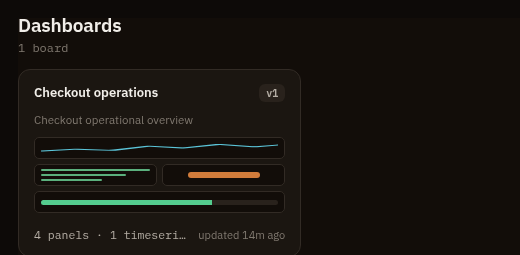
- Save reusable query shortcuts as saved queries.
- Pin dashboard panels for queries that refresh with dashboard scope.
- Edit dashboard panel queries as OQL.
Dashboard documents use the oriel.dashboard/v1 schema and are versioned in the
metadata store. Dashboard versions keep previous specs for export and recovery.
Permissions
Section titled “Permissions”| Action | Permission |
|---|---|
| View dashboards | dashboards:read |
| Create or edit dashboards | dashboards:manage |
| Create or delete saved queries | queries:manage |
| Run underlying telemetry queries | telemetry:query |
Pivots
Section titled “Pivots”- Open a dashboard panel in Explore to refine it.
- Pin a query from Explore to an existing dashboard.
- Use dashboard panels as starting points for alert rules.
- Keep dashboards scoped by the app hierarchy instead of embedding one-off environment filters in every query.